Yokogawa TOP Server OPC Server Suite + 1 Year License Maintenance

- Details
- Resources and Documentation
- Supported Devices
- Advanced Features
- Key Benefits
- Why Choose This Product?
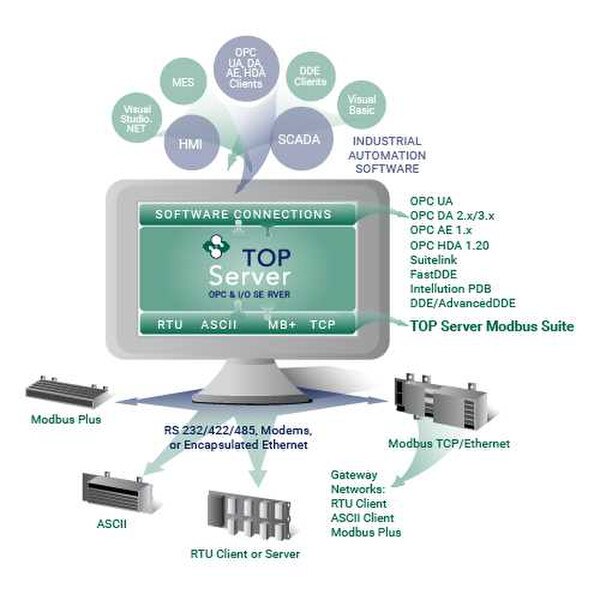
The TOP Server® Yokogawa Suite provides connectivity to a wide range of Yokogawa chart recorders, data acquisition devices, and controllers that use the Yokogawa Data Acquisition protocols. The software provides integration to other software applications using OPC DA, OPC UA and AVEVA SuiteLink.
Whether you need Serial or Ethernet connectivity to Yokogawa devices, this TOP Server license suite gives you a diversity of options, including support for Yokogawa DX100/200 Series, DXP Series, MX100, SMARTDAC+, GX and Darwin Series Control Systems.
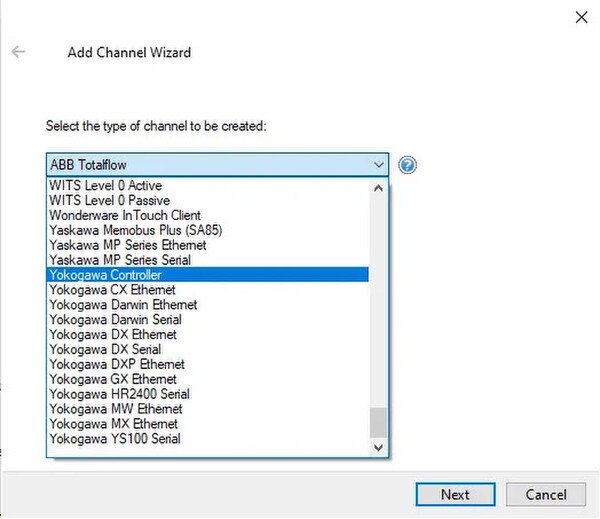
This item is a Suite of drivers containing Yokogawa CX Ethernet, Yokogawa Darwin Ethernet, Yokogawa DX Ethernet, Yokogawa DXP Ethernet, Yokogawa GX Ethernet, Yokogawa MW Ethernet, Yokogawa MX Ethernet, Yokogawa Green Controller Serial, Yokogawa Darwin Serial, Yokogawa DX Serial and Yokogawa HR2400 Serial.
When you purchase the TOP Server Yokogawa Suite you get licenses for eleven different drivers for communications to your Yokogawa PLCs and control systems.
Everything you need to get started, configure, and troubleshoot your driver
TOP Server How-To Videos / Tutorials
TOP Server How-To Application Notes
TOP Server Quick Start Guide
TOP Server Troubleshooting Guide
Click for Current/Past Release Notes
Yokogawa CX Ethernet Help File
Yokogawa Darwin Ethernet Help File
Yokogawa DX Ethernet Help File
Yokogawa DXP Ethernet Help File
Yokogawa GX Ethernet Help File
Yokogawa MW Ethernet Help File
Yokogawa MX Ethernet Help File
Yokogawa Controller Serial Help File
Yokogawa Darwin Serial Help File
Yokogawa DX Serial Help File
Yokogawa HR2400 Serial Help File
Yokogawa Controllers & Recorders
- CX 1000/2000 series controllers
- DA100-1, DA100-2
- DC100-1, DC100-2
- DR131, DR231, DR232, DR241, DR242
- DX 100/200 series controllers
- MV100, MV200
- DXP100, DXP200
- Yokogawa GX/GP/GM series controllers
- MW100
- MX100
- AX100
- HR2400 (10 Channels, 20 Channels, 30 Channels)
Yokogawa Communication Devices
- UT37, UT38 and UP27 communication devices via 4-wire RS-422
- PCLink devices (UT130, UT150, UT150L, UT152, UT155, UT320, UT350, UT351, UT350L, UT420, UT450, UT520, UT550, UT750, US1000, UP150, UP350, UP550, UP750)
Supported Protocols / Networks
- Yokogawa Data Acquisition Protocols (CX, Darwin, DX, DXP, GX/GP/GM, MW, MX)
- PCLink
- TCP/IP Ethernet
- Ethernet Encapsulation for PCLink
- Serial RS-232
- Serial RS-422
- Serial RS-485
Note: Don't See Your Device Listed? Contact Us
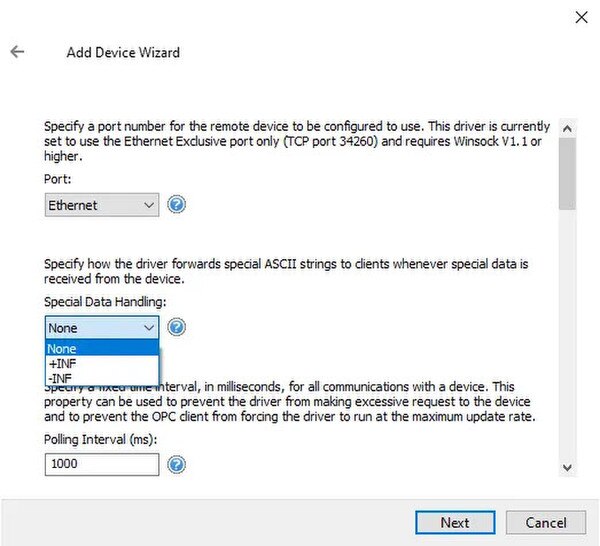
- Configurable Data Handling setting to return out of range and error conditions
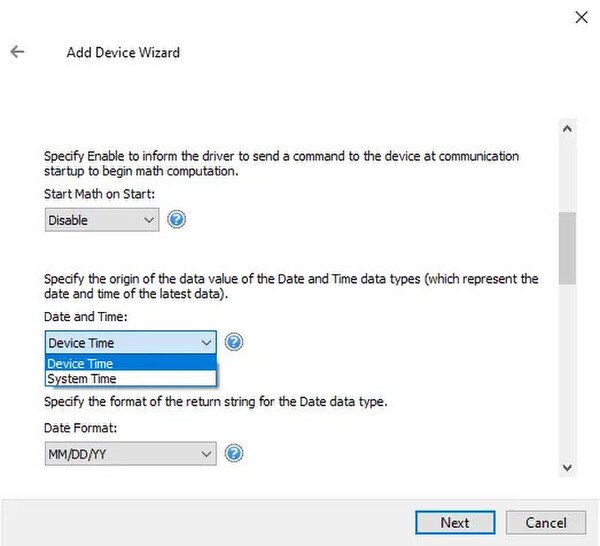
- Options to synchronize device clock with system clock and initiate math computation or measuring on device at startup
- Configurable format for Date/Time data types
- Stop MX on Shutdown feature
- Configurable polling interval
- AS1 Advanced Security Option Support
- Support for Device Username and Password
- Supports Broadcast Messages using Device ID 0 for UT37 and PCLink devices
Everything you need for reliable industrial connectivity
Real-Time Data Access
Access live process data from your devices with minimal latency and maximum reliability.
Device Configuration
Read and write configuration parameters directly from your SCADA or HMI application.
Automatic Reconnection
Intelligent connection management automatically recovers from network interruptions.
Multi-Protocol Support
Supports multiple communication protocols for flexible deployment options.
High Performance
Optimized algorithms deliver maximum throughput with minimal system overhead.
Diagnostic Logging
Comprehensive logging helps troubleshoot issues and monitor driver performance.
Proven benefits that help you deploy faster and operate more reliably
Fast Setup & Deployment
Configure in minutes with intuitive setup wizards
Enterprise-Grade Security
Encrypted connections and role-based access control
Real-Time Performance
Sub-second updates with optimized polling algorithms
Unlimited Scalability
Support for hundreds of devices per channel