Simulator Suite for TOP Server OPC and IO Server + 1 Year License Maintenance

- Details
- Resources and Documentation
- Technical Specifications
- Supported Devices
- Key Features
- Advanced Features
- Key Benefits
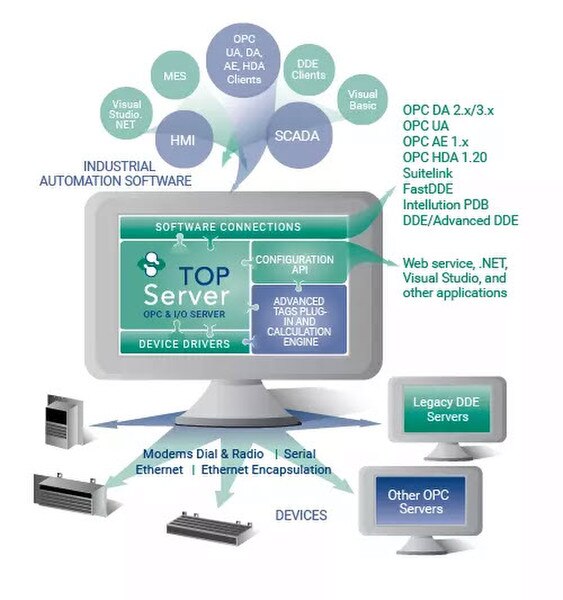
Suite focused on simulating device data for upstream client testing and integration, using TOP Server interfaces such as OPC DA, OPC UA, and AVEVA SuiteLink.
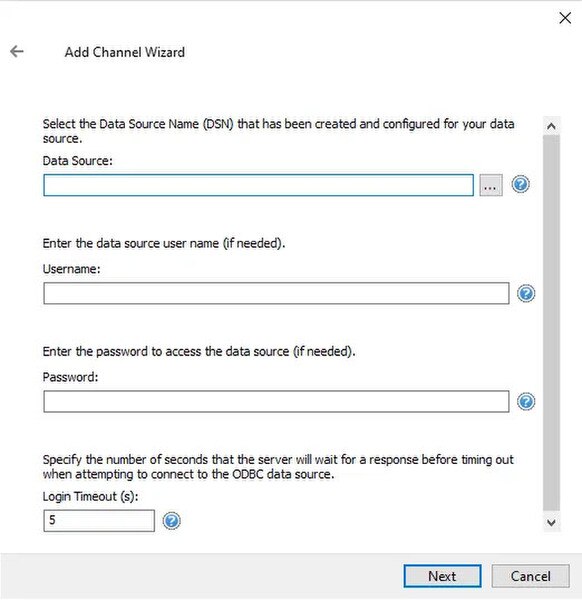
Includes drivers that (1) can generate simulated values from ODBC compliant data sources and (2) can act as a PC based device database or memory map with optional value retention across server restarts.
This item is a Suite of drivers containing:
Everything you need to get started, configure, and troubleshoot your driver
TOP Server Operating System Support Information
Check compatibility with your operating system
TOP Server How-To Videos / Tutorials
Watch step-by-step video tutorials
TOP Server How-To Application Notes
Access detailed application notes and guides
TOP Server Quick Start Guide
Get started quickly with our comprehensive guide
TOP Server Troubleshooting Guide (HTML)
Find solutions to common issues
Advanced Simulator Help File (PDF)
Complete driver documentation with setup instructions
Memory Based Help File (PDF)
Complete memory-based driver documentation
TOP Server Data Sheet (PDF)
Product overview and specifications
TOP Server Current/Past Release Notes
View release notes and version history
TOP Server License Agreement (EULA)
Review software license terms
TOP Server Specific Blog Posts
Read technical articles and best practices
Overall Software Toolbox Blog Posts
Explore all blog content from Software Toolbox
Subscribe to Blog
Get notified of new articles and updates
Communication
Protocols Supported
ODBC API
Connection Types
ODBC Connection String
Max Devices per Channel
Unlimited ODBC sessions
Database Systems
- Microsoft Access
- Microsoft SQL Server
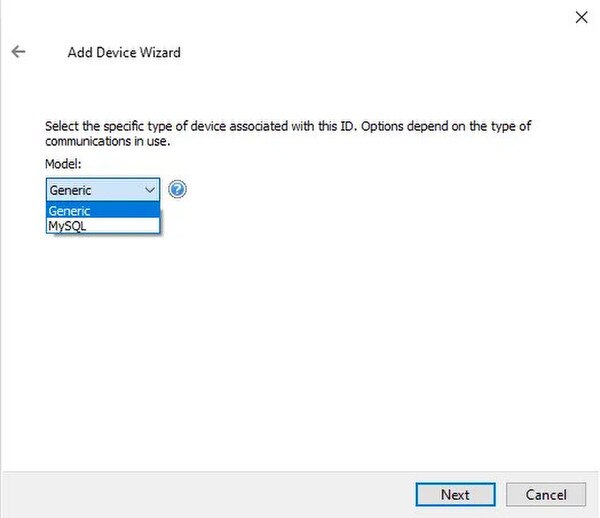
- MySQL
- Oracle Database
- Sybase
- Any ODBC-compliant database
Note: For a complete list of supported models and firmware versions, please contact our technical support team or download the driver documentation.
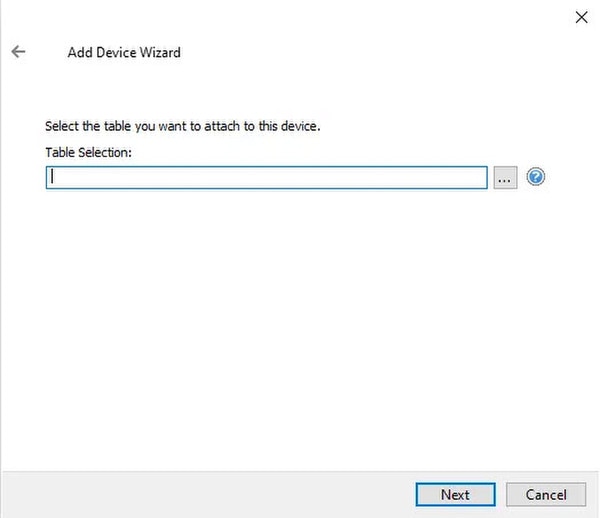
- Plays back simulated 'live' values by stepping through records in a chosen ODBC table at a user-defined rate
- Can keep multiple concurrent sessions open to one or more ODBC-compliant data sources
- CSV import/export support for bulk tag management
- Can function as a PC-based device database / memory-map container
- Supports item persistence so tag values can be retained between TOP Server runs
- Multi-threaded architecture for high scalability
- Wizard-based runtime configuration changes (Properties Editor)
- Secure User Management
- Built-in Device/Network Redundancy
- Auto-Demotion (Slow Polling)
- Diagnostics (OPC / communications / event log)
- For all TOP Server built-in features, click here
- Playback behavior control: restart at the first record after reaching end-of-table, or stop at the last record
- Includes an internal 'MoveTo' tag concept to jump to a specific record on demand
- CSV import/export for large tag counts (bulk edits)
- Supports adding new tags at any time, including while the server is running
- Item persistence support (retain tag values between runs)
Everything you need for reliable industrial connectivity
ODBC Data Simulation
Simulates live data by traversing through all records in a user table at a configurable rate with support for multiple ODBC connection sessions.
CSV Import/Export
Easily handle large tag configurations with CSV import and export capabilities for streamlined setup and deployment.
Memory Map Container
Acts as device database or memory map container with full persistence of tag values between runs.
Auto-Start/Stop Control
Option to automatically start or stop after record traversal with internal 'MoveTo' tag support for jumping to specific records.
Runtime Tag Management
Add new tags anytime, even at runtime, providing maximum flexibility for dynamic testing scenarios.
Multi-Threaded Architecture
Built on TOP Server's high-performance multi-threaded architecture for maximum scalability and reliability.
Ratings & Reviews
1 review
The best support experience
by Stefan Haugseth -
Everything was solved within a few hours. As always the best support experience.