Omron Communications Suite TOP Server + 1 Year License Maintenance

- Details
- Resources and Documentation
- Supported Devices
- Common Features
- Key Features
- Advanced Features
- Key Benefits
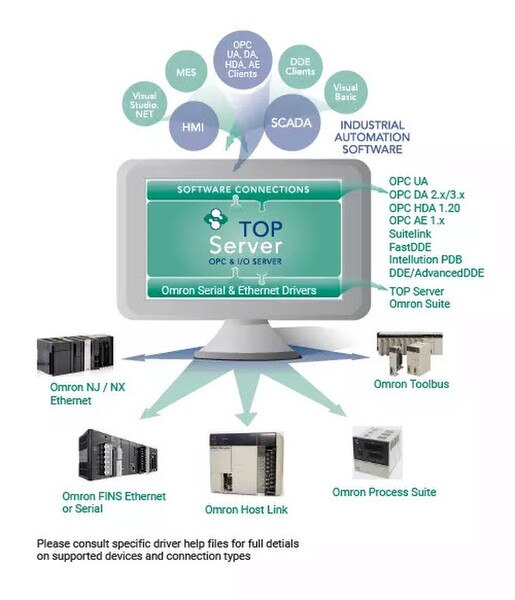
The TOP Server Omron Suite is positioned as a cost-effective bundle because it includes 6 Omron-focused drivers covering multiple connectivity options (serial and Ethernet), including EtherNet/IP connectivity. This comprehensive suite provides advanced features supporting both legacy and modern Omron control hardware.
This Suite contains the following OPC drivers:
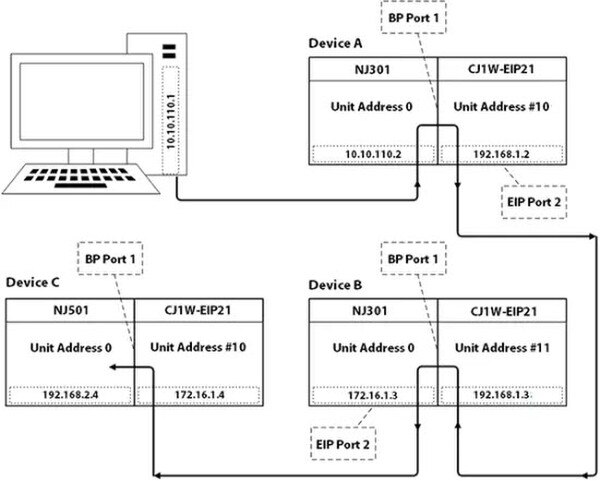
• Omron NJ / NX Ethernet – EtherNet/IP connectivity for modern NJ/NX machine automation controllers with Automatic Tag Generation
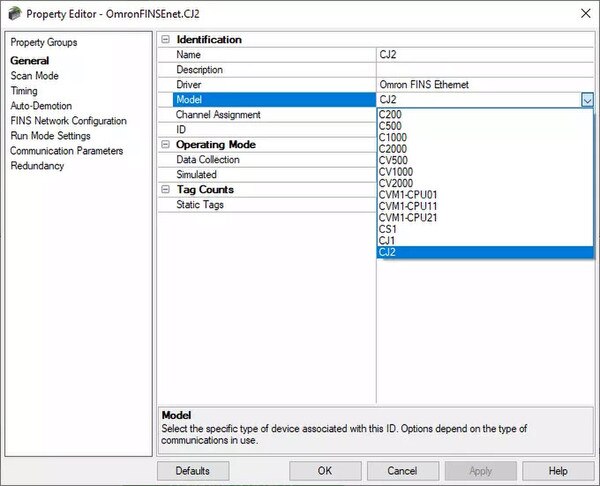
• Omron FINS Ethernet – High-speed connectivity via FINS/TCP and FINS/UDP protocols for CP, CJ, CS series
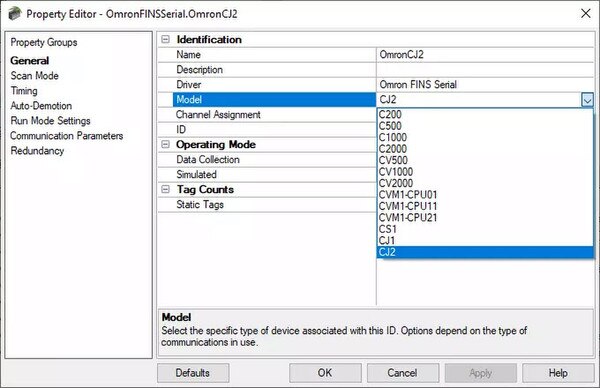
• Omron FINS Serial – Reliable serial FINS communications for legacy and current Omron PLCs
• Omron Host Link Serial – Serial Host Link protocol support for C200H, CV, CQM1 and other classic Omron controllers
• Omron Process Suite Serial – Connectivity for Omron E5 series temperature controllers and process automation devices
• Omron Toolbus Serial – Toolbus protocol support for specialized Omron equipment
No third-party software or gateways required – these drivers communicate directly with Omron PLCs using native protocols. The suite provides unlimited tags, devices, and client connections with a single perpetual license.
For complete device compatibility information, please see the Omron Supported Devices Page or contact support if you're unsure which driver you need.
Everything you need to get started, configure, and troubleshoot your driver
- TOP Server Omron FINS Ethernet Driver Quick Start Video Video tutorials and application guides
- TOP Server Omron NJ/NX Ethernet Driver Quick Start Video Video tutorials and application guides
- TOP Server How-To Videos / Tutorials Video tutorials
- TOP Server How-To Application Notes
- TOP Server Quick Start Guide V
- TOP Server Troubleshooting Guide Video tutorials and application guides
- Omron NJ Ethernet Help File (PDF) Driver documentation
- Omron FINS Ethernet Help File (PDF) Driver documentation
- Omron FINS Serial Help File (PDF) Driver documentation
- Omron Host Link Serial Help File (PDF) Driver documentation
- Omron Process Suite Serial Help File (PDF) Driver documentation
- Omron Toolbus Serial Help File (PDF) Driver documentation
- TOP Server Operating System Support Information
- Required Omron FINS Ethernet Module Settings Additional resources and documentation
- Omron Supported Devices Page Additional resources and documentation
- Looking for Omron PLC Hardware? Additional resources and documentation
- Looking for Omron Temperature Controllers? Additional resources and documentation
- Learn more about TOP Server language support (blog) Additional resources and documentation
- Software Toolbox Knowledge Base Additional resources and documentation
- TOP Server Support & Maintenance Additional resources and documentation
NJ Series (Machine Automation Controllers)
NX Series (Machine Automation Controllers)
CJ Series
CS Series
CP Series
CVM1 Series
CQM1 Series
CV Series
C Series
QM1
Temperature Controllers
Network Features
Note: For a complete list of supported models and firmware versions, please contact our technical support team or download the driver documentation.
Everything you need for reliable industrial connectivity
Real-Time Data Access
Access live process data from your devices with minimal latency and maximum reliability.
Device Configuration
Read and write configuration parameters directly from your SCADA or HMI application.
Automatic Reconnection
Intelligent connection management automatically recovers from network interruptions.
Multi-Protocol Support
Supports multiple communication protocols for flexible deployment options.
High Performance
Optimized algorithms deliver maximum throughput with minimal system overhead.
Diagnostic Logging
Comprehensive logging helps troubleshoot issues and monitor driver performance.
Ratings & Reviews
2 reviews
Always Excellent Support
by Lopez Jose R -
The only problem I noticed is that when I called, they call me later but at that time I was not in the customer site, so this process is kind of complicated to follow up the problem immediately with the customer. Remember customers avoid to lost productio
Truly Exceptional Tech Support
by Elia Frati -
Great assistance. Quick answers. Probelm fixed in a short time
Fast Response
by Stefan Haugseth -
Everything was solved within a few hours. As always the best support experience.
The best support experience.
by Stefan Haugseth -
Everything was solved within a few hours. As always, the best support experience.
Great assistance. Quick answers.
by Elia Frati -
Great assistance. Quick answers. Problem fixed in a short time