Lufkin Modbus TOP Server And IO Driver + 1 Year License Maintenance

- Details
- Resources and Documentation
- Supported Devices
- Common Features
- Key Features
- Advanced Features
- Why Choose This Product?
- Integration Capabilities
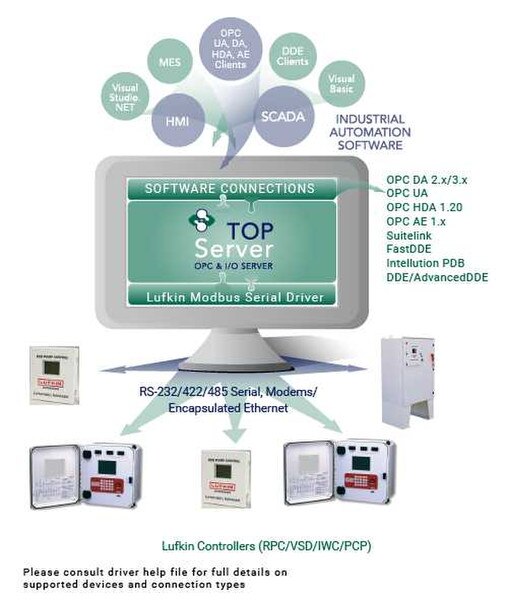
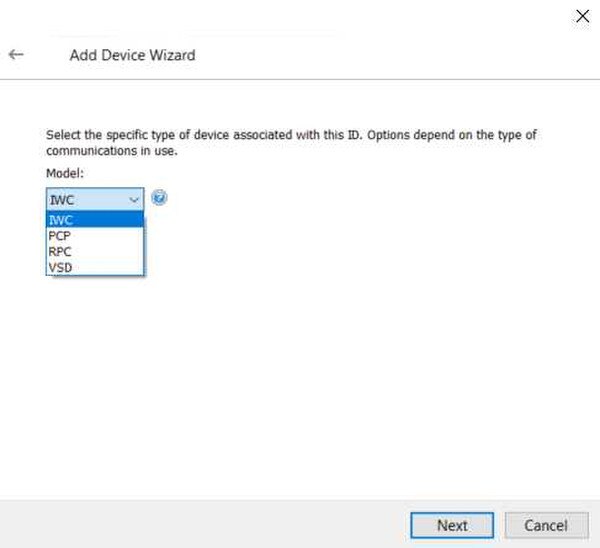
The TOP Server Lufkin Modbus driver provides a communication interface for Lufkin devices supporting the Extended Lufkin Automation Modbus (ELAM) protocol, ELAM TCP protocol, or Standard Modbus RTU protocol. This includes Lufkin Rod Pump Controllers (RPC), Variable Speed Drives (VSD), Injection Well Controllers (IWC), and Progressive Cavity Pumps (PCP). Lufkin devices are used around the world in oil field and power transmission automation.
The Lufkin Modbus Driver provides an easy and reliable way to read and write data to Lufkin devices through client applications (including HMI, SCADA, Historian, MES, ERP, and countless custom applications).
Available as a standalone real-time data driver or as part of the TOP Server Oil & Gas Suite.
Everything you need to get started, configure, and troubleshoot your driver
IWC (Injection Well Controller)
✓
PCP (Progressive Cavity Pump)
✓
RPC (Rod Pump Controller)
✓
VSD (Variable Speed Drive)
For a complete list of supported models and firmware versions, please contact our technical support team or download the driver documentation.
- Maximum Scalability – Supports up to 1024 channels with 2296 devices per channel, COM Port Range 1 to 999 (practical limits vary by system resources)
- Ethernet Encapsulation – Supports Ethernet Encapsulation via Ethernet/Serial converters, Ethernet Device or Terminal servers
- Provides real-time data access to CODESYS V2.3 and V3-compatible devices (read/write)
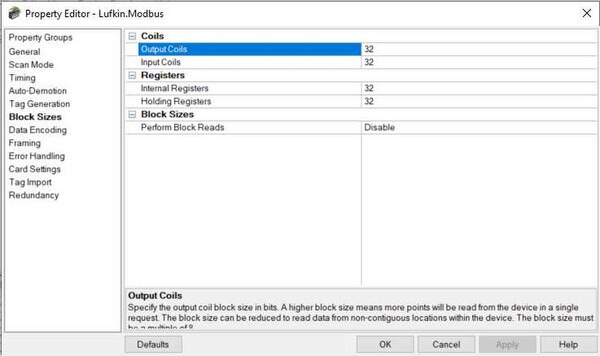
- Configurable Block Sizes – Supports user-defined block sizes configurable at runtime for optimal performance
- Communications Serialization – Supports multiple protocols over the same communications link
- Modem Support – Built-in modem support for remote connectivity to field devices
- Configurable Delays – Configurable Inter-Device Delay and Inter-Request Delay for optimized communications
Proven benefits that help you deploy faster and operate more reliably
Fast Setup & Deployment
Configure in minutes with intuitive setup wizards
Enterprise-Grade Security
Encrypted connections and role-based access control
Real-Time Performance
Sub-second updates with optimized polling algorithms
Unlimited Scalability
Support for hundreds of devices per channel
OPC Connectivity
Full OPC DA and OPC UA server functionality enables seamless integration with:
- SCADA systems (Ignition, Wonderware, GE iFIX)
- Historians (OSIsoft PI, Canary, InfluxDB)
- MES and ERP systems
- Custom applications via OPC client libraries
Cloud Integration
Combine with Cogent DataHub or OPC Router for cloud connectivity:
- AWS IoT Core and Azure IoT Hub
- MQTT broker connectivity
- RESTful API integration
- Unified Namespace (UNS) architectures