KraussMaffei MC4 Ethernet TOP Server OPC and IO Server + 1 Year License Maintenance

- Details
- Resources and Documentation
- Supported Devices
- Key Features
- Advanced Features
- Key Benefits
- Why Choose This Product?
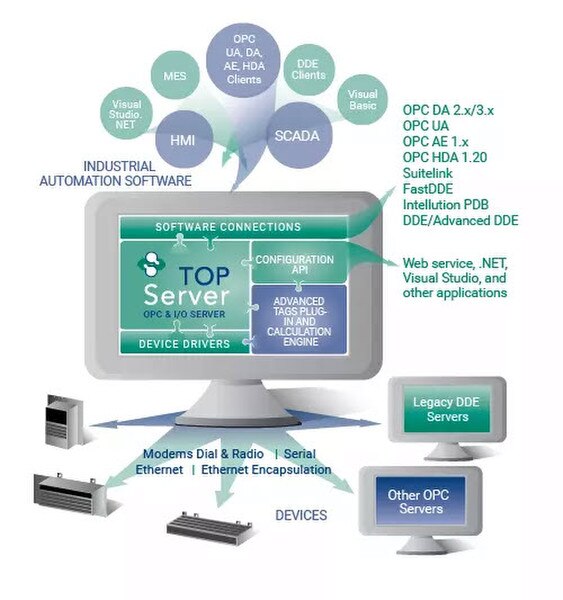
The TOP Server KraussMaffei MC4 Ethernet driver provides a communication interface to KraussMaffei MC4 controllers with the same level of performance, stability and ease of configuration as any other TOP Server driver. It enables data exchange between OPC UA, OPC DA, SuiteLink and DDE clients and KraussMaffei MC4 Injection Molding Machines supporting the TCP/IP transport protocol (over both TCP and UDP).
Access to data in the MC4 controller is accomplished by the use of named parameter objects composed of the parameter object name, element name, and value name. Data acquisition is optimized based on upstream client demand while data integrity is ensured using extensive error handling.
Note: MC4-Injection Molding Machines only support one connection at a time from a host or client device. Please consider this if you have other applications collecting data – it may be best to use TOP Server as your central data collection source since it can interface with so many other software systems (including databases).
This driver is available as a standalone real-time data driver, and is also included in the TOP Server Manufacturing Suite (a vertical Industry Suite for manufacturing applications).
Everything you need to get started, configure, and troubleshoot your driver
Operating System Support
Compatible operating systems information
Release Notes (TOP Server v6.x)
Current and past release notes
Driver Help File (PDF Manual)
Complete KraussMaffei MC4 Ethernet driver documentation
How-To Videos & Tutorials
Step-by-step video tutorials for TOP Server
How-To Application Notes
Technical guides and best practices
Quick Start Guide
Get up and running quickly
Troubleshooting Guide
Solutions to common issues
TOP Server Blog Posts
Specific blog posts and use cases
Technical Blog (All Posts)
Browse all Software Toolbox blog articles
TOP Server Manufacturing Suite
This driver is included in the Manufacturing Suite
Knowledge Base
Searchable FAQs and tech notes
KraussMaffei Official Site
MC4 hardware information from manufacturer
KraussMaffei Injection Molding Equipment
✓
MC4 series Injection Molding Machines
✓
KraussMaffei equipment with MC4 controllers
For a complete list of supported models and firmware versions, please contact our technical support team or download the driver documentation.
- High Scalability – Supports up to 100 channels and 255 devices per channel (theoretical maximum; practical limits depend on system resources and network architecture).
- Multiple Parameter Types – Supports multiple MC4 parameter types: Set analog values (.SET.), Actual analog values (.ACT.), Switching function/status (.SEL.), String parameters (.STR.), Date/Time values (.TIM.), Duration values (.TIM.), and Cycle actual values (.CYCACT.).
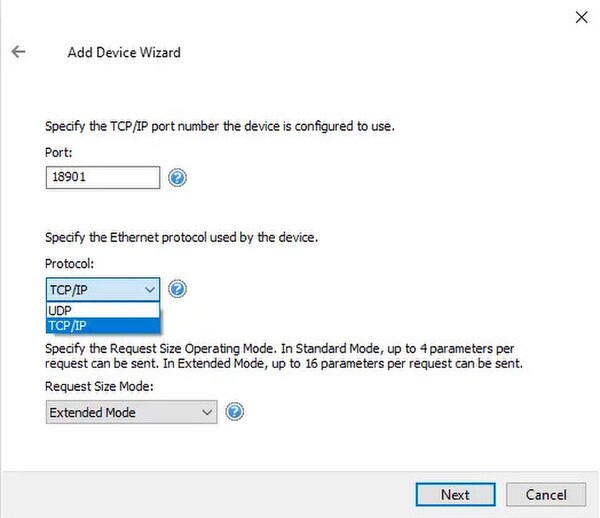
- Optimized Communication – User-configurable request size modes to optimize communication throughput (Standard Mode: up to 4 objects per request; Extended Mode: up to 16 objects per request).
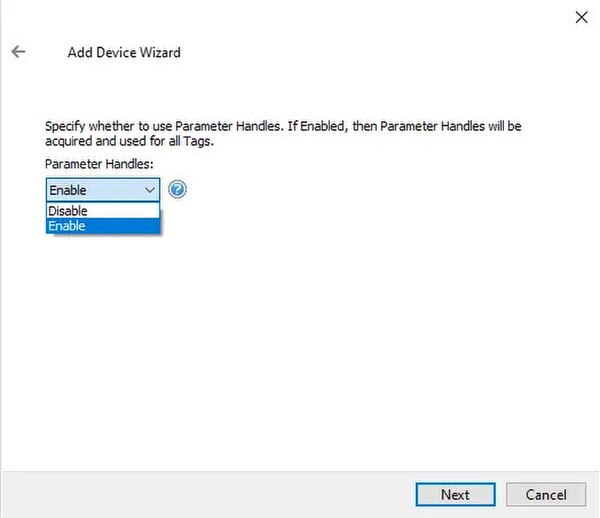
- Parameter-Handling Parser – Parameter-handling parser to reduce and simplify tag name lengths (helpful for client applications that have tag name length limitations).
- Dual Protocol Support – Supports both TCP/IP and UDP Ethernet protocols for communication with devices.
- Multi-Threaded Communications – Optimized multi-threaded communications: each device can be assigned to a separate thread/channel (supports up to 100 parallel device threads for maximum performance).
Everything you need for reliable industrial connectivity
Real-Time Data Access
Access live process data from your devices with minimal latency and maximum reliability.
Device Configuration
Device Configuration Read and write configuration parameters directly from your SCADA or HMI application.
Automatic Reconnection
Intelligent connection management automatically recovers from network interruptions.
Multi-Protocol Support
Supports multiple communication protocols for flexible deployment options.
High Performance
Optimized algorithms deliver maximum throughput with minimal system overhead.
Diagnostic Logging
Comprehensive logging helps troubleshoot issues and monitor driver performance.
Proven benefits that help you deploy faster and operate more reliably
Fast Setup & Deployment
Configure in minutes with intuitive setup wizards
Enterprise-Grade Security
Encrypted connections and role-based access control
Real-Time Performance
Sub-second updates with optimized polling algorithms
Unlimited Scalability
Support for hundreds of devices per channel