InTouch Client Driver TOP Server (OPC to Wonderware InTouch Bridge) + 1 Year License Maintenance

- Details
- Key Features
- Why Choose This Driver?
- Resources and Documentation
- Common Features
- Key Features & Benefits
- Advanced Features
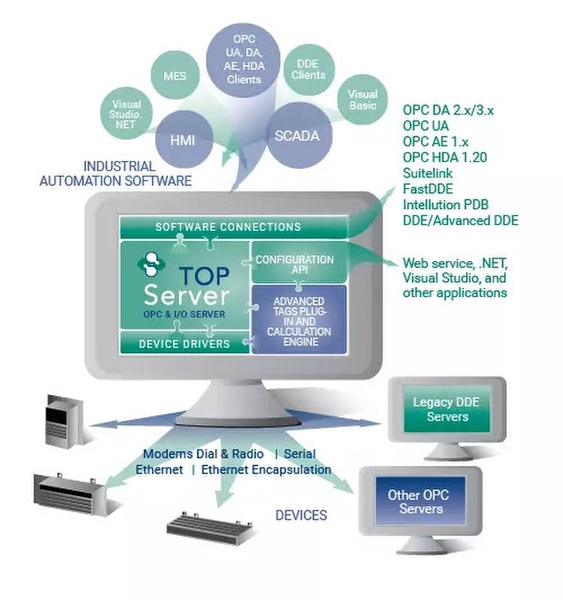
Provides a native communication interface to AVEVA InTouch (formerly Wonderware) projects with the same performance, stability and ease of configuration as other TOP Server drivers.
Saves time integrating InTouch with other systems by automatically exposing InTouch data via TOP Server's OPC UA/DA interfaces, allowing rapid access from MES, ERP, SCADA, historians, etc. (For remote connections, OPC UA is recommended to avoid DCOM issues.)
Can poll InTouch for updates or receive change notifications from InTouch. Optionally only retrieve data for tags that OPC UA/DA clients are subscribed to.
Includes documentation on optimizing InTouch driver communications for best performance.
Available as a standalone driver or as part of the TOP Server Manufacturing Suite.
- ✔High Capacity Support – Supports up to 16 channels and 16 devices per channel (practical limits depend on system resources)
- ✔OPC Server for InTouch – Makes AVEVA InTouch act as an OPC UA and OPC DA server (provides OPC interfaces to InTouch data)
- ✔Native IEDA Integration – Uses AVEVA's native InTouch External Database Access (IEDA) toolkit for direct communications
- ✔Wide Version Compatibility – Compatible with InTouch 7.1 and above (up to but not including InTouch 2023; use native OPC UA in InTouch 2023+)
- ✔OPC Certified – OPC compliance tested and interoperability verified
- ✔Complete Tag Access – Handles all I/O, memory, local/remote, and system tags in InTouch
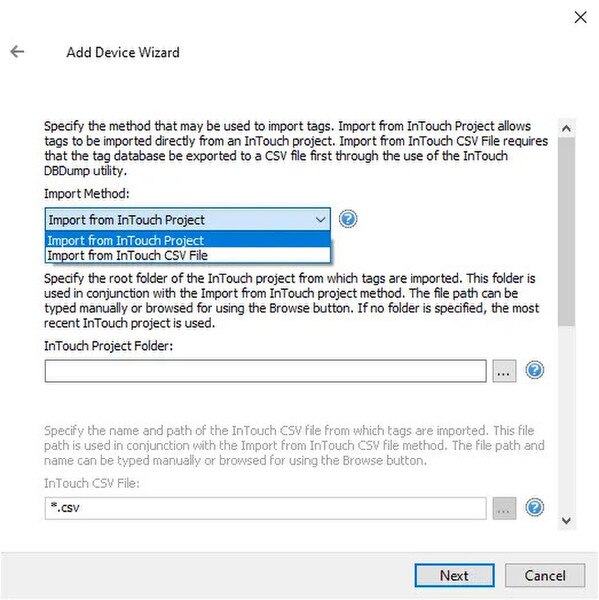
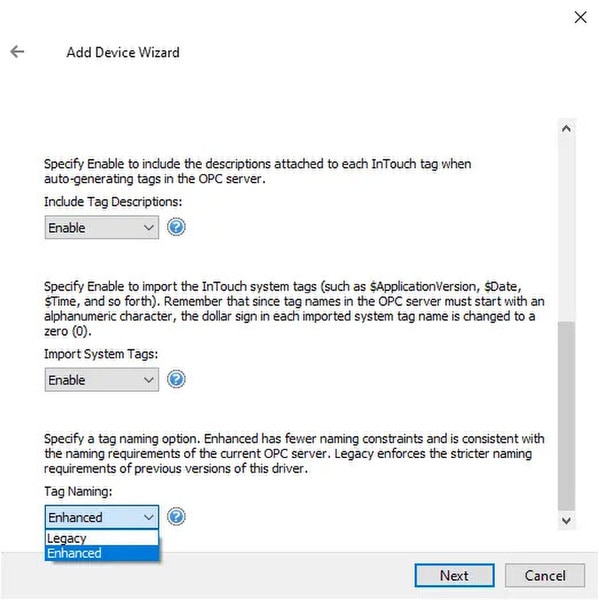
- ✔Automatic Tag Import – Automatically generates a TOP Server tag database from InTouch (plug-and-play tag import)
- ✔Flexible Update Modes – Three data update modes (driver polls InTouch, InTouch pushes updates to driver, or hybrid mode) to optimize communication
Proven benefits that help you deploy faster and operate more reliably
Fast Setup & Deployment
Configure in minutes with intuitive setup wizards
Enterprise-Grade Security
Encrypted connections and role-based access control
Real-Time Performance
Sub-second updates with optimized polling algorithms
Unlimited Scalability
Support for hundreds of devices per channel
Everything you need to get started, configure, and troubleshoot your driver
TOP Server Operating System Support Information
Additional resources and documentation
TOP Server How-To Videos / Tutorials
Walkthrough videos for configuration and use
TOP Server How-To Application Notes
Step-by-step configuration guides
TOP Server Quick Start Guide
Getting started documentation
TOP Server Troubleshooting Guide
Common issues and solutions
current/past release notes
Changelog and version history
Complete user manual and reference
AVEVA InTouch Client Driver Help File
TOP Server-specific Blog Posts
Use cases and how-to guides
Software Toolbox Knowledge Base
Additional resources and documentation
AVEVA Official Website
Hardware manufacturer information
- ✔Full Data Type Support – Full support for all standard data types
- ✔Comprehensive Tag Support – Comprehensive support for various tag formats
- ✔Multi-threaded Architecture – Multi-threaded architecture for scalability and high performance
- ✔Runtime Configuration – Wizard-based runtime configuration without service restart
- ✔Secure User Management – Built-in secure user management and access control
- ✔Device Redundancy – Built-in device/network redundancy for high availability
- ✔Auto-Demotion – Automatic communication demotion on errors
- ✔Extensive Diagnostics – Comprehensive diagnostics logging for troubleshooting
Everything you need for reliable industrial connectivity
Real-Time Data Access
Access live process data from your devices with minimal latency and maximum reliability.
Device Configuration
Device Configuration Read and write configuration parameters directly from your SCADA or HMI application.
Automatic Reconnection
Intelligent connection management automatically recovers from network interruptions.
Multi-Protocol Support
Supports multiple communication protocols for flexible deployment options.
High Performance
Optimized algorithms deliver maximum throughput with minimal system overhead.
Diagnostic Logging
Comprehensive logging helps troubleshoot issues and monitor driver performance.
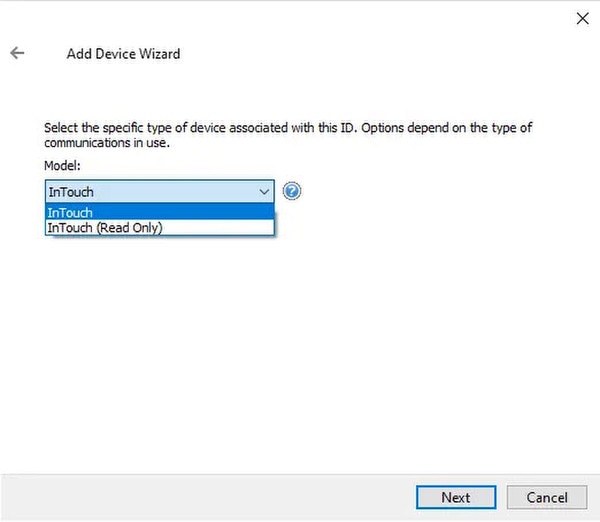
- ✔Tag Import – Import tags from Wonderware InTouch application files for faster setup
- ✔Three Update Modes – Driver polls InTouch, InTouch pushes updates to driver, or hybrid mode
- ✔Mode Override – Supports special addresses with Mode Override to control update method per tag
- ✔Tag Browsing – Allows OPC UA/DA clients to browse the InTouch tag database via TOP Server
- ✔Read/Write Control – Supports both read/write and read-only tag access modes
- ✔Exception-Based Updates – Exception-based (event-driven) updates from InTouch minimize performance impact on the HMI
- ✔On-Demand Refresh – Supports the _AutoCreateTagDatabase system tag to refresh the tag list from the InTouch application on demand