Building Automation Suite TOP Server + 1 Year License Maintenance
- Details
- Resources and Documentation
- Common Features
- Key Features
- Key Benefits
- Why Choose This Product?
- Integration Capabilities
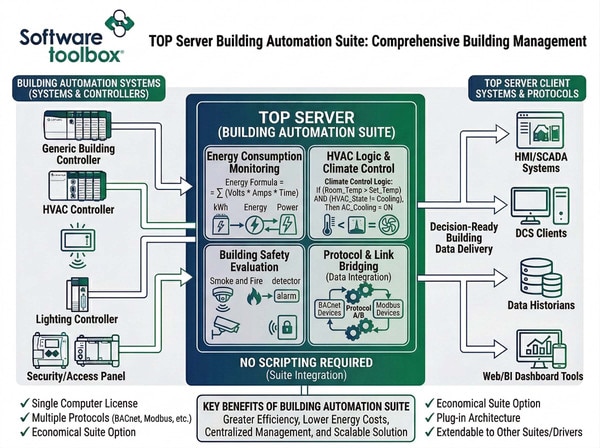
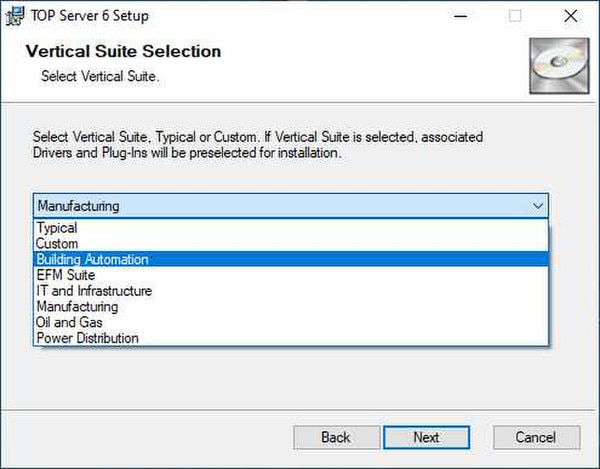
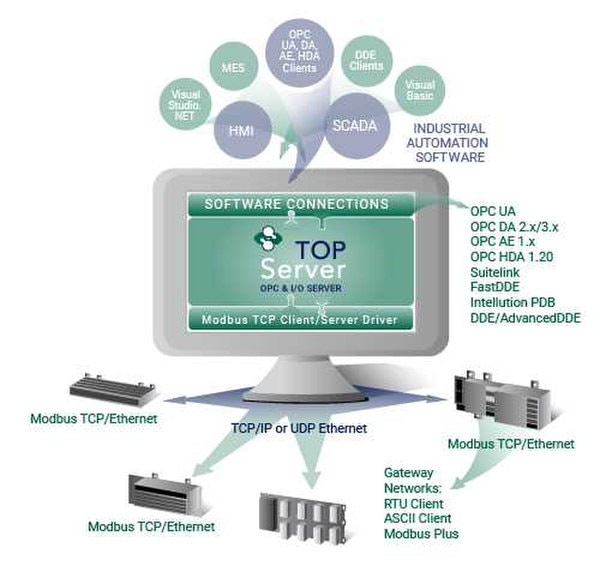
The TOP Server Building Automation Suite provides a license for use on a single computer for the most popular drivers required by many building automation applications.
For facilities and building management, the TOP Server Building Automation Suite installs easily and is quickly configured for management and control of the building lighting, HVAC, power, safety and security systems from your HMI/SCADA, DCS or Data Historian. This facilitates greater efficiency and enables lower energy costs.
For applications where multiple industry standard protocols are required (such as BACnet and Modbus, and some that are non-standard), the Building Automation Suite is an economical option.
With TOP Server's plug-in architecture, you can easily combine the TOP Server Building Automation Suite with any other TOP Server Industry Suites or add additional suites and drivers from TOP Server's extensive driver list.
Drivers Included:
Everything you need to get started, configure, and troubleshoot your driver
- TOP Server How-To Videos / Tutorials
- TOP Server How-To Application Notes
- TOP Server Quick Start Guide
- TOP Server Troubleshooting Guide
- BACnet/IP Driver Manual (PDF)
- System Monitor Driver Manual (PDF)
- Modbus TCP Ethernet Driver Manual (PDF)
- Modbus RTU Serial Driver Manual (PDF)
- Modbus ASCII Serial Driver Manual (PDF)
- Custom Interface (CID) Driver Manual (PDF)
- UCON (User-Configurable) Driver Manual (PDF)
- TOP Server Data Sheet (PDF)
- Release Notes (Current & Past)
- TOP Server License Agreement
- Technical Blog
- Multi-threaded architecture for high scalability.
- Runtime changes via wizard-based configuration interface with intuitive Properties Editor.
- Secure User Management.
- Built-in Device/Network Redundancy.
- Auto-Demotion (Slow Polling).
- Extensive communication and server diagnostics (OPC / Communications / Event Log).
- For all TOP Server built-in features, click here.
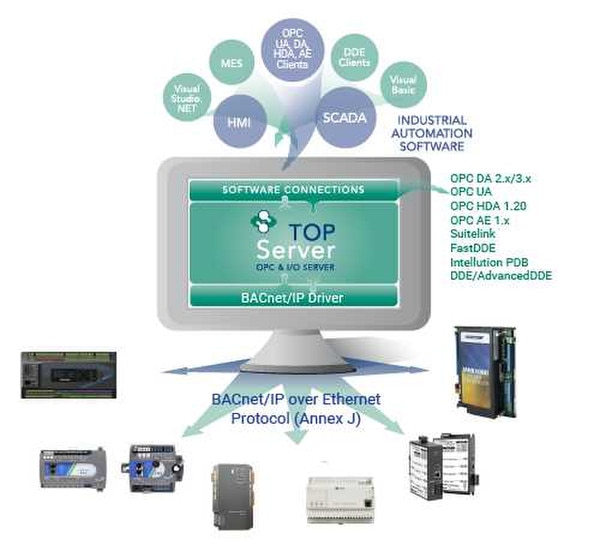
- Seamless connectivity to building lighting, HVAC, power, safety, security and other systems via supported standards in a common communications layer (for a full list of included drivers and suites, see Drivers Included below).
- Supports common open standards including BACnet/IP and Modbus.
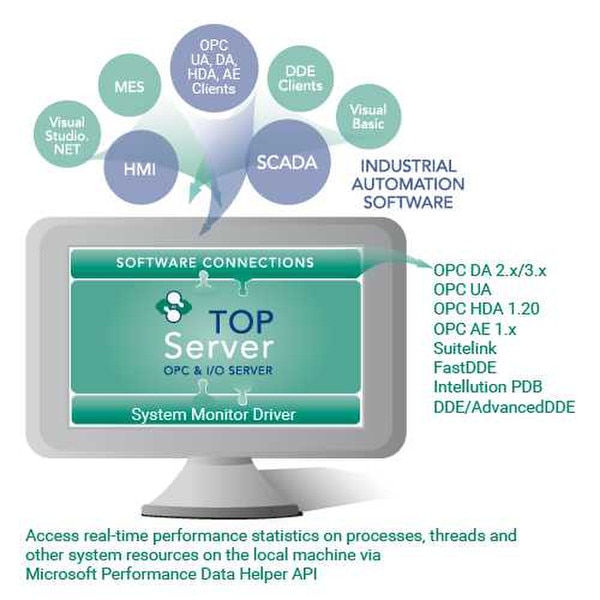
- Monitor local server performance metrics.
- Extensive connectivity for HMI, SCADA, MES, ERP, and database applications (SQL, Access, Oracle).
- Highly scalable using seven included protocols across applications from dozens up to thousands of devices.
- Secure communications from client to device across various network architectures.
- Flexible connectivity options with included user-configurable and custom drivers.
Real-Time Data Access
Access live process data from your devices with minimal latency and maximum reliability.
Device Configuration
Read and write configuration parameters directly from your SCADA or HMI application.
Automatic Reconnection
Intelligent connection management automatically recovers from network interruptions.
Multi-Protocol Support
Supports multiple communication protocols for flexible deployment options.
High Performance
Optimized algorithms deliver maximum throughput with minimal system overhead.
Diagnostic Logging
Comprehensive logging helps troubleshoot issues and monitor driver performance.
Proven benefits that help you deploy faster and operate more reliably
Fast Setup & Deployment
Configure in minutes with intuitive setup wizards
Enterprise-Grade Security
Encrypted connections and role-based access control
Real-Time Performance
Sub-second updates with optimized polling algorithms
Unlimited Scalability
Support for hundreds of devices per channel
OPC Connectivity
Full OPC DA and OPC UA server functionality enables seamless integration with:
- SCADA systems (Ignition, Wonderware, GE iFIX)
- Historians (OSIsoft PI, Canary, InfluxDB)
- MES and ERP systems
- Custom applications via OPC client libraries
Cloud Integration
Combine with Cogent DataHub or OPC Router for cloud connectivity:
- AWS IoT Core and Azure IoT Hub
- MQTT broker connectivity
- RESTful API integration
- Unified Namespace (UNS) architectures
Ratings & Reviews
1 review
The One-Stop Solution
by A. Moreno -
This particular suite has it all in one convenient package. It enhances integration and facilitates consolidation for all my communication needs. Pair it with advanced tags and it becomes even better. The ability to fine tune your data with the ease of verification from the quick client has this particular suite as my most recommended one for customers and peers alike.