Alstom Redundant Ethernet TOP Server + 1 Year License Maintenance

- Details
- Resources and Documentation
- Supported Devices
- Common Features
- Key Features
- Advanced Features
- Key Benefits
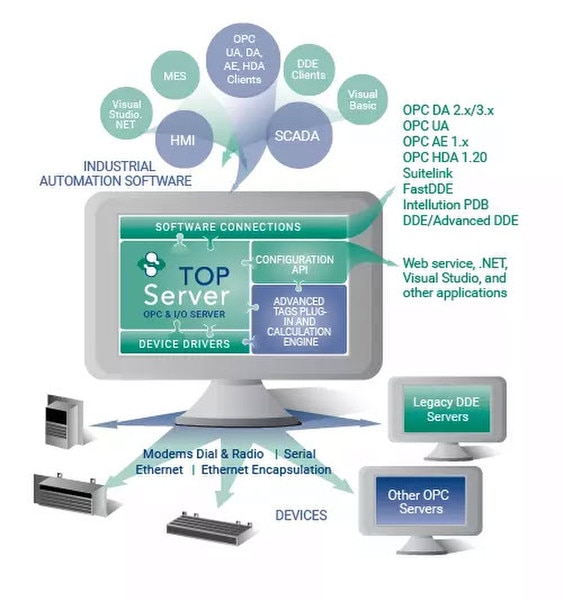
The TOP Server® Alstom Redundant Ethernet driver provides a communication interface to Alstom controllers with the same level of performance, stability and ease of configuration as any other TOP Server driver. This driver provides data exchange between OPC UA, OPC DA, SuiteLink and DDE clients and Alstom devices supporting the Non-Vital Custom Modbus protocol over TCP/IP connections, including the Integrated Vital Processor Interlocking Control System (iVPI). The iVPI System is the new standard for interlocking and blocking control used in the railroad and commuter train industry. Data acquisition is optimized based on upstream client demand while data integrity is ensured using extensive error handling.
Everything you need to get started, configure, and troubleshoot your driver
Keyence KV Series PLCs
KV-1000
KV-3000
KV-5000
KV-5500
KV-700
KV-7300
KV-7500
KV-8000
KV-Nano
Note: For a complete list of supported models and firmware versions, please contact our technical support team or download the driver documentation.
Communication & Server Diagnostics
Multi-threaded architecture for high scalability
Runtime configuration via Properties Editor
Secure User Management
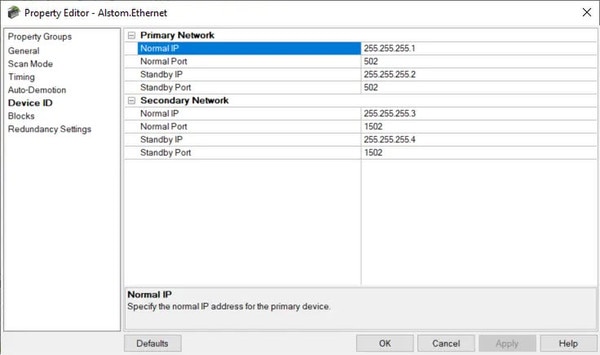
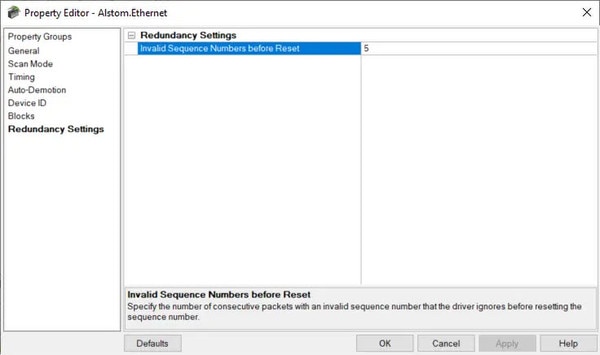
Built-in Device/Network Redundancy
Auto-Demotion (Slow Polling)
Communication & Server Diagnostics
- ✓ Quad Redundancy Support
- ✓ Redundancy Management Interface Connectivity
- ✓ Non-Vital Subsystem Support
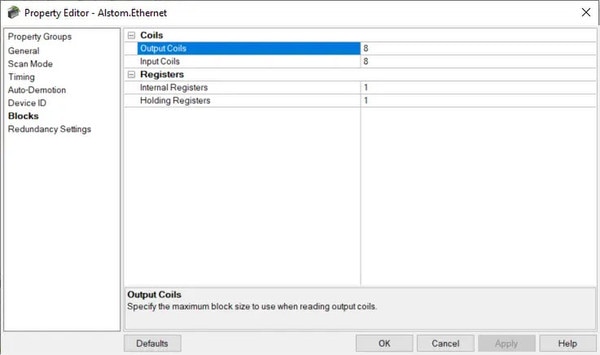
- ✓User-Defined Block Size
- ✓User-selectable socket disconnection on device timeout
- ✓Specify a Network Interface Card at the channel level (configurable network binding)
Everything you need to get started, configure, and troubleshoot your driver
Real-Time Data Access
Access live process data from your devices with minimal latency and maximum reliability.
Device Configuration
Read and write configuration parameters directly from your SCADA or HMI application.
Automatic Reconnection
Intelligent connection management automatically recovers from network interruptions.
Multi-Protocol Support
Supports multiple communication protocols for flexible deployment options .
High Performance
Optimized algorithms deliver maximum throughput with minimal system overhead.
Diagnostic Logging
Comprehensive logging helps troubleshoot issues and monitor driver performance .